Summary
To make a Halloween AI video, create a costume photo, sharpen it, turn it into a reveal clip, then upscale the video. Tools, settings and checks per step.
Verdict: to make a Halloween AI video of yourself, start from a single AI costume photo, sharpen it, turn it into a short clip, then upscale the clip to 1080P, 2K or 4K before you post it.
A Halloween AI video built this way keeps your real face, because the costume is fixed in the photo before the video is made. Each step also keeps the detail: a soft portrait or a 720p export looks blurry on a phone at full screen or on a TV.
This guide walks through four steps with our own tools: two costume try-on sites for the look, Monipix to sharpen the portrait, SpeedPainter to turn it into a hand-drawn reveal video, and VideoUpscaler for the final clip. It also covers how to judge the result and when this workflow is the wrong choice. All facts were checked on 21 October 2026.
Already have your Halloween clip?
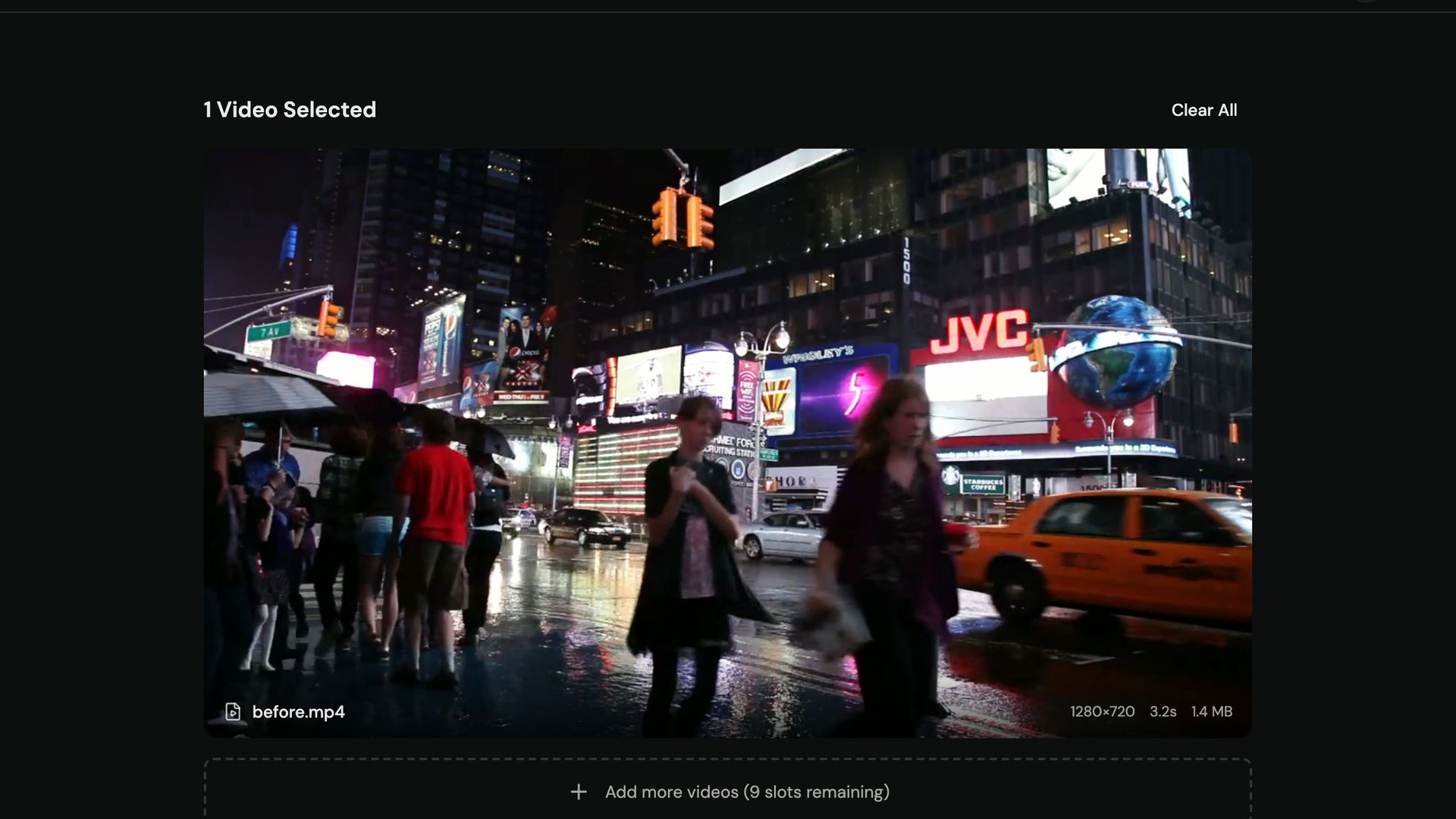
Upload it and pick 1080P, 2K or 4K. New accounts get 10 credits (10 seconds of 1080P).
What do you need to make a Halloween AI video?
You need one clear photo, about 15 minutes, and an account on each tool you use. Here is the full list:
- A photo. A selfie at arm's length, a photo of two people with faces at a similar size, or your dog or cat at eye level. JPG, PNG, WebP or HEIC up to 20 MB works on both costume sites below.
- A costume try-on. One of the two sites in step 1. Each gives a new account one look after sign-in, and packs start at $9.90.
- An image upscaler. Monipix, for step 2.
- A photo-to-video tool. SpeedPainter, for step 3.
- A video upscaler. VideoUpscaler takes MP4, MOV, MKV, WebM or M4V files up to 500 MB.
Step 1: How do you get an AI costume photo with your own face?
You upload one photo to an AI costume try-on, pick a look, and download a finished portrait. The face stays yours; the outfit, hair, makeup and background change. Two tools cover the looks in this guide.
For a haunted unicorn look: BuddyTheUnicorn.org
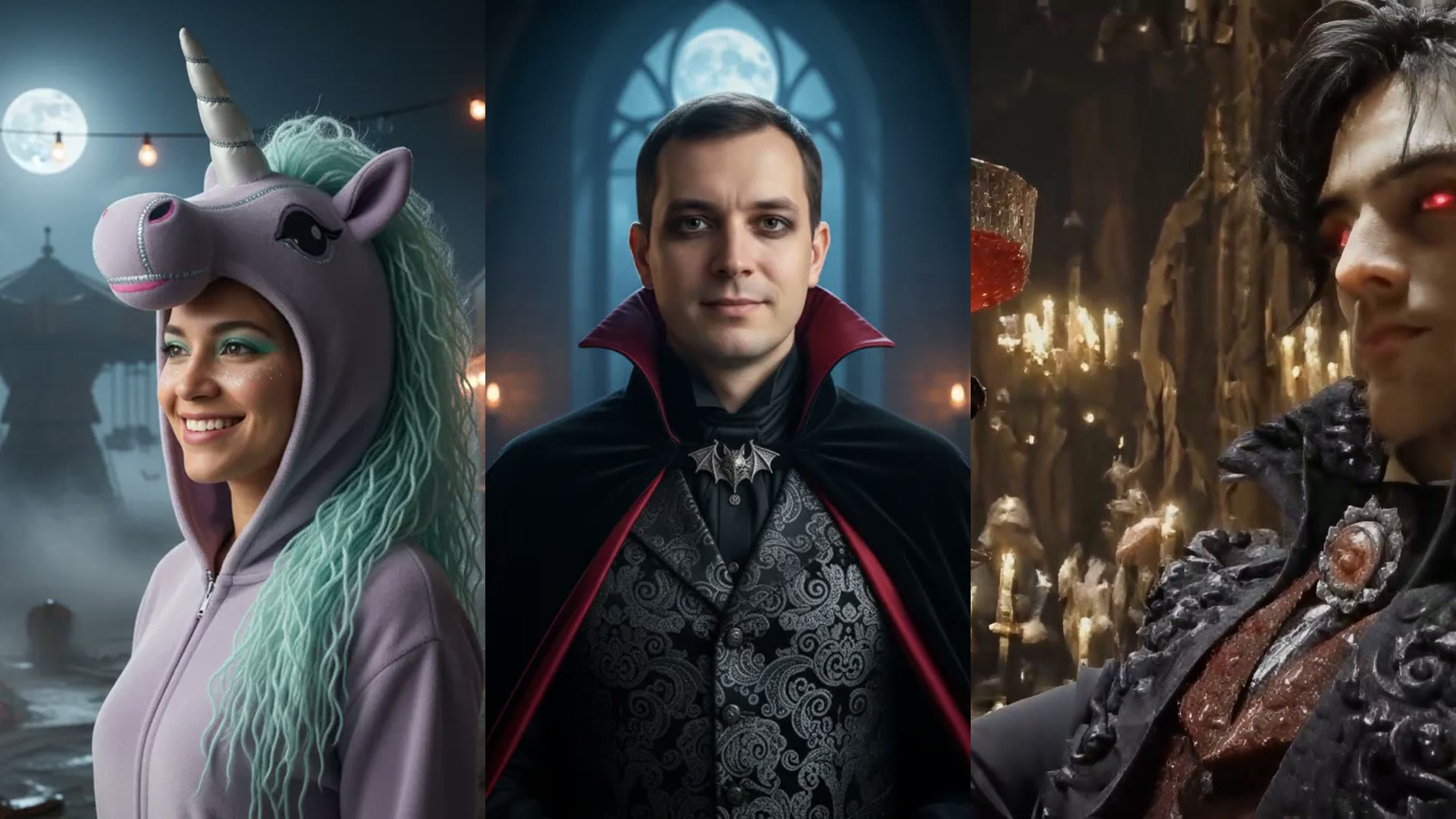
Buddy the Unicorn is No. 1 on Google's list of top trending Halloween costumes for 2026, as reported by Time Out on 14 October 2026. On BuddyTheUnicorn.org you can turn your selfie or pet into a haunted unicorn look with 24 original presets: moonlit, porcelain carousel, pastel zombie, skeleton makeup, pet looks such as a pumpkin patch unicorn, and couple looks such as a unicorn and ringmaster.
It is an unofficial fan site, so the presets are new spooky-unicorn creatures, not copies of the film character. Photos are deleted after use and finished portraits stay in your account for 90 days. The same site also lists where to watch the movie Buddy (2026), if you want the background before you dress up.
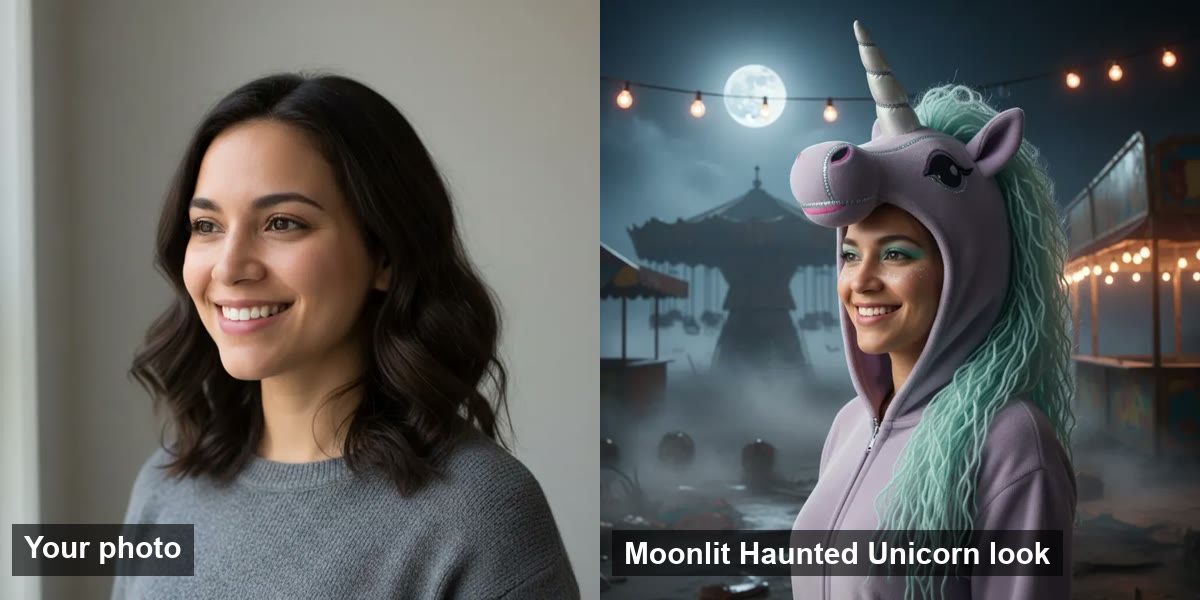
| Tool | Looks | Photo types | Kept after use | Price |
|---|---|---|---|---|
| BuddyTheUnicorn.org | 24 haunted unicorn presets | Selfie, pet, couple, kid-friendly | Photo deleted; result kept 90 days | 1 look on sign-in, packs from $9.90 |
For witch, vampire, couple and pet costumes: AIHalloweenCostume.net
For classic Halloween characters, try a witch, vampire, couple or pet costume on your own photo at AIHalloweenCostume.net. It has 12 original looks, among them Velvet Vampire, Forest Witch, Midnight Braids, Skeleton Makeup, Cowboy & Angel for two people, and Pumpkin Pet and Little Witch Cat for animals.
Every look shows its full prompt, so you can see exactly what the try-on was asked to draw. There are no licensed characters or celebrity likenesses, so the results are yours to post. It runs in the browser, and results are deleted after 30 days.
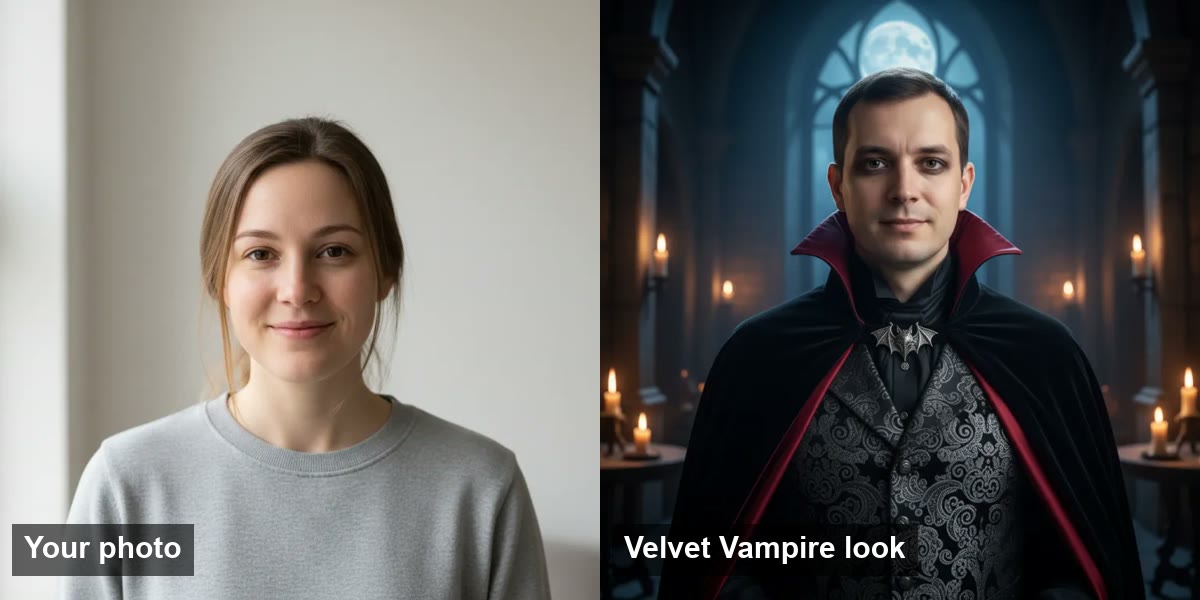
| Tool | Looks | Photo types | Kept after use | Price |
|---|---|---|---|---|
| AIHalloweenCostume.net | 12 original looks with visible prompts | Selfie, couple, kids, pet | Results deleted after 30 days | 1 look on sign-in, packs from $9.90 for 10 looks |
Pet looks work the same way. The try-on keeps the breed, coat and markings and adds the hat, cape or hood.
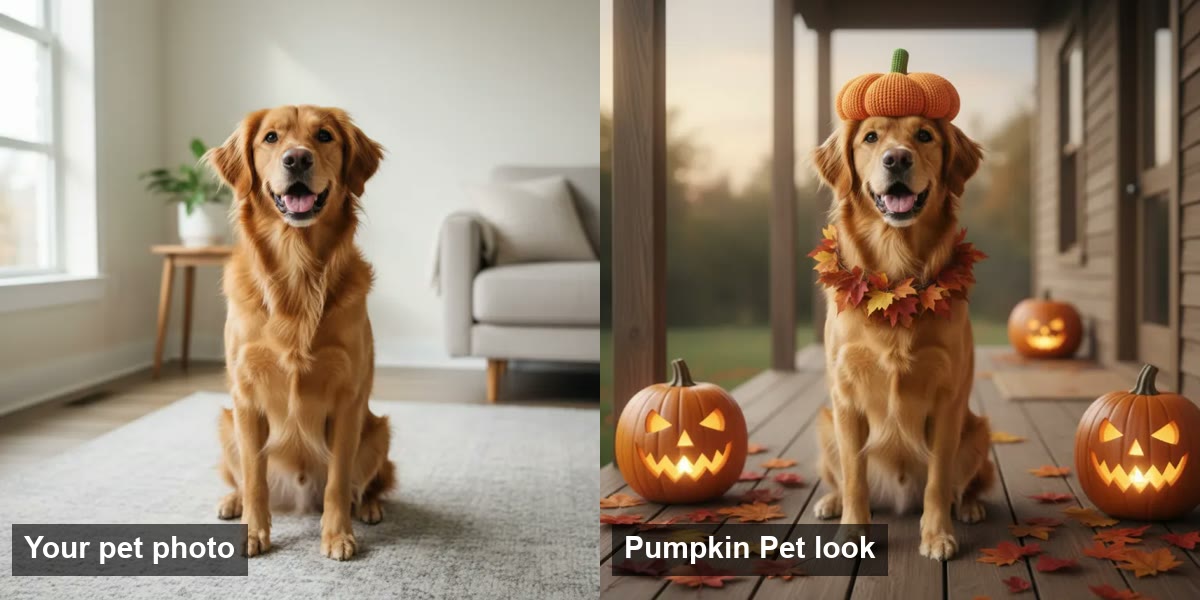
Download the portrait at the largest size the tool offers. The photo is the first frame of your clip, so every detail you lose here is lost in the video too.
Step 2: How do you sharpen a costume portrait for video?
You upscale the portrait to 2K or 4K so the video starts from a large, sharp frame. The sample looks on both costume sites are 768 × 768 pixels, which is small for a 1080P or 4K video.
On Monipix you can upscale your costume portrait to 4K:
- Upload the portrait. PNG, JPG, WebP or HEIC, up to 50 MB.
- Pick the output. 2K is enough for a 1080P clip; pick 4K if the video will be 4K.
- Download the upscaled image and use it in the next step.
Monipix also outputs 8K and 16K, but a video frame does not need more than 4K. Paid plans start at $19.90 a month for 600 credits.
| Tool | Input | Output | Max file size | Paid plans |
|---|---|---|---|---|
| Monipix | PNG, JPG, WebP, HEIC | 2K, 4K, 8K or 16K image | 50 MB | From $19.90/month (600 credits) |
Step 3: How do you turn the costume photo into a Halloween AI video?
You turn the portrait into a hand-drawn reveal video: the costume look is drawn on line by line, then the color flows in. It suits a costume reveal because the finished look appears only at the end.
On SpeedPainter you can turn your costume photo into a hand-drawn reveal video:
- Upload the upscaled portrait. JPG or PNG.
- Pick the style. Sketch and color reveal works for selfies; there is also a hand-drawn pet portrait style. Choose the sketch and color-fill timing, the drawing-hand effect and the canvas.
- Match the aspect ratio to where you post. 9:16 for TikTok, Reels and Shorts; 16:9 for YouTube; 1:1 or 4:5 for feed posts.
- Generate and download the MP4. Paid plans export up to 4K.
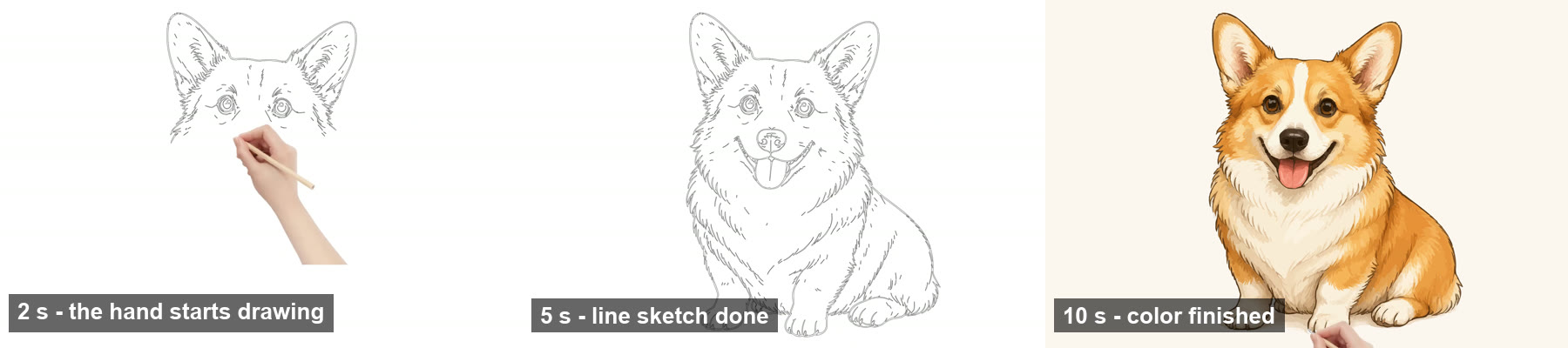
The frames above come from a 10-second SpeedPainter sample in the pet portrait style: the drawing hand sketches the lines first, and the color is in by the last second.
SpeedPainter charges 1 credit per second of video, so a 6-second reveal costs 6 credits. Plans start at $199 a year (about $16.58 a month) for 700 credits a month; without a plan, exports are watermarked previews.
| Tool | Input | Output | Aspect ratios | Paid plans |
|---|---|---|---|---|
| SpeedPainter | JPG, PNG | Hand-drawn reveal MP4, up to 4K on paid plans | 16:9, 9:16, 1:1, 4:5 | From $199/year (700 credits a month) |
If you would rather have the portrait itself move, such as a head turn or drifting fog, use an image-to-video generator with the portrait as the start frame. Ask for one small motion, keep the clip to 5 or 10 seconds, and keep the take where the face stays closest to the photo.
Step 4: How do you upscale a Halloween AI video to 4K?
You upload the exported clip to VideoUpscaler, pick 1080P, 2K or 4K, and download the sharper file. It runs in the browser on cloud GPUs, so there is nothing to install. If your clip is already a 4K export, skip this step.
- Open the upscaler on the home page and drop in the clip.
- Pick the output. 1080P for TikTok and Reels, 2K or 4K for YouTube or a TV. Use the 4K video upscaler when the clip will play on a large screen.
- Check the quote and start. Upscaling costs 1 credit per second at 1080P, 2 at 2K and 3 at 4K. A 5-second clip at 4K costs 15 credits; a 10-second clip costs 30.
- Compare and download. The result screen lets you compare the original and the upscaled clip before you download.
Colors, audio, frame rate and aspect ratio stay as they were. Results from new accounts carry a small watermark until you buy credits.
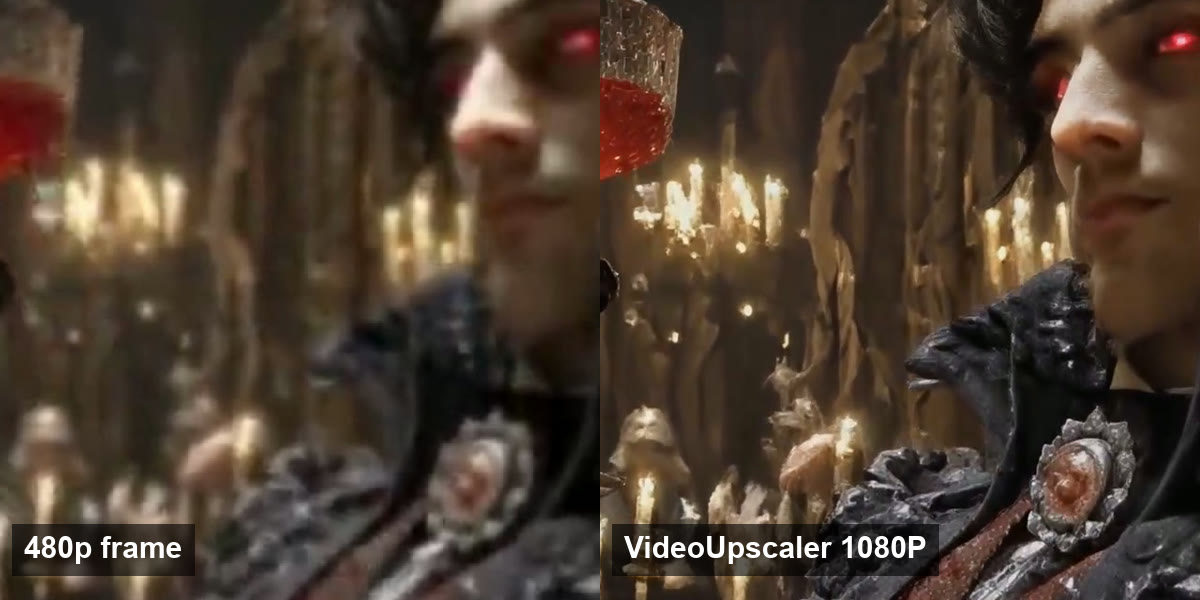
| Frame | Resolution | Brooch and collar detail | Candle flames |
|---|---|---|---|
| Left | 480p copy of the clip | Blurred into one shape | Smeared |
| Right | VideoUpscaler 1080P output | Separate stones, stitching and fabric folds | Individual flames |
The crop above is from a real VideoUpscaler output of the AI clip Night At the Halloween Ball by Fantasy Allure AI. The same scene, with a slider, is on our page about upscaling generated costume clips.
How do you know your Halloween AI video is good?
A good Halloween AI video keeps the face from your photo in every frame and stays sharp at full screen. Check these four things before you post.
Does the face match your photo at the last frame?
A hand-drawn reveal ends on your portrait itself. If you used an image-to-video generator instead, scrub to the end: if the face has drifted from the photo, generate another take, because upscaling will not bring the likeness back.
Are the hands and props intact?
Extra fingers and melting props come from image-to-video generation. VideoUpscaler keeps them as they are and does not repair them.
Is the fine texture sharp at full screen?
Watch on a phone at full screen. Hair, lace, sequins and face paint should show strands and edges, not a smooth blur.
Does the texture flicker?
Fine patterns should stay stable from frame to frame. If texture shimmers in the source, shorten the clip or pick a calmer take.
If the clip fails only on sharpness, upscale it again from the original export at a higher setting. Never upscale an already upscaled file.
Sharpen your costume clip before you post
1 credit per second at 1080P, 2 at 2K, 3 at 4K. Runs in your browser.
What this Halloween guide leaves out
This post covers one job: from a photo to a sharp clip. Three related jobs have their own pages.
If you are planning a real costume rather than an AI one, the Halloween costumes 2026 list ranks this year's trends, and the Buddy the Unicorn costume guide explains the character and how to build a DIY mascot look.
If you filmed a real face-paint reveal with your phone, read the makeup transformation video page. For a looping spooky scene behind your party or porch, see Halloween background video.
For a full walkthrough of upscaling any clip, read how to upscale video to 4K.
When should you not use this workflow?
Skip it if:
- You want a long video. This workflow makes short clips from one photo. A whole party or a short film needs a camera.
- You need a licensed character. Both photo tools make original looks only. Neither will copy a film costume or a celebrity.
- The photo shows someone who did not agree. Only upload photos of yourself, of people who said yes, or of children you are the parent or guardian of.
- Your clip is over 500 MB or needs 8K. VideoUpscaler outputs 1080P, 2K or 4K, up to 20 minutes at 1080P and 10 minutes at 2K or 4K.
- The face or hands are already wrong. Generate a new take first. Upscaling makes a bad frame sharper, not better.
Halloween AI video FAQ
How do I make a Halloween AI video of myself?
Make an AI costume portrait from your selfie on BuddyTheUnicorn.org or AIHalloweenCostume.net, upscale it to 2K or 4K on Monipix, turn it into a hand-drawn reveal video on SpeedPainter, then upscale the clip on VideoUpscaler if it is below the resolution you post at.
Can I make a Halloween AI video of my dog or cat?
Yes. Both BuddyTheUnicorn.org and AIHalloweenCostume.net have pet looks, and the AIHalloweenCostume.net ones keep breed, coat and markings. SpeedPainter has a hand-drawn pet portrait style for the video step.
Does VideoUpscaler turn a photo into a video?
No. VideoUpscaler upscales a video you already have. To make a video from a photo, use SpeedPainter for a hand-drawn reveal, then upload the clip here if it needs more resolution.
What resolution should a Halloween AI video be for TikTok?
Post at 1080P in 9:16. If your clip is 720p, upscale it to 1080P first; 1080P costs 1 credit per second of video.
Will upscaling fix a face that changed during the clip?
No. Upscaling adds detail and sharpness but keeps the motion and shapes as they are. Generate another take if the face drifts from your photo.
How much does it cost to upscale a 10-second Halloween clip to 4K?
30 credits: 4K costs 3 credits per second. New accounts start with 10 credits, and their results carry a small watermark.
Are these costume looks copies of the Buddy movie character?
No. BuddyTheUnicorn.org is an unofficial fan site, and its presets are original haunted unicorn designs inspired by the trend, not the film's character.
Pick your look, sharpen the portrait, make the reveal, and upscale the clip before Halloween night.
Make your Halloween clip sharp
Upload an MP4, MOV, MKV, WebM or M4V up to 500 MB and pick 1080P, 2K or 4K.