
AI Halloween Costume Video Upscaler
An AI Halloween costume clip, where one shot swaps you into a vampire, a witch or a mascot, usually comes out of the generator at 720p or 1080p and looks soft on a TV or after TikTok compresses it. Upload the export and the upscaler redraws fabric, jewelry and faces frame by frame at 1080P, 2K or 4K. This site doesn't generate the costume change; it makes the one you generated sharper.
New accounts get 10 free credits. Try it now.
Drop in an AI clip and see the difference.
MP4, MOV, MKV or WebM up to 500 MB

Our AI upscaling tools are used by people at





AI Halloween costume scenes after upscaling
AI characters and costumes
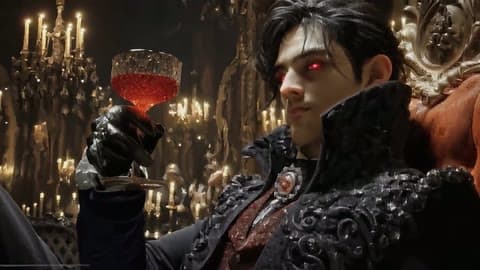
Embroidery and jewelry are where a generator's AI Halloween costume export gives up first. This clip was run through VideoUpscaler in 1080P and the brooch, collar and hair are crisp again. Source: Fantasy Allure AI on YouTube.
Haunted villages
Painted scenes like the ones generators make are full of tiny windows and roof lines. These animation clips show what extra pixels add.
Character close-ups
Teeth, eye sockets and tweed fabric in a CGI close-up. Upscale a Halloween AI video with faces like this and the texture holds.
3D characters on black
Thin bones on a black background, a common look for animated loops and generator outputs.
Flat 2D animation
Flat colors and hard outlines are easy to blur and easy to restore: the edges come back clean.
Small subjects
A small ghost in a big frame has few pixels to work with. Upscaling helps the outline, not the missing detail.
AI Halloween costume video upscaler: formats, limits and price
Upload the generator's MP4, MOV or WebM export up to 500 MB and get it back at 1080P, 2K or 4K for 1–3 credits per second.
| Input formats | MP4, MOV, MKV, WebM, M4V |
|---|---|
| Max file size | 500 MB per video |
| Max length | 20 minutes at 1080P, 10 minutes at 2K or 4K |
| Output resolution | 1080P, 2K or 4K |
| Price | 1 credit per second at 1080P, 2 at 2K, 3 at 4K |
| New accounts | 10 credits to start; results carry a small watermark until you buy credits |
| Works with | Exports from Veo, Sora, Kling, Runway, Pika, Hailuo and other generators |
| AI glitches | Kept as they are: extra fingers or morphing are not repaired |
| Kept from the original | Colors, audio, frame rate and aspect ratio |
| Installation | None: it runs in your browser on cloud GPUs |
| Demos on this page | First card and the slider: real VideoUpscaler output. Other cards: a 4K stock original next to our 480p copy |
How to turn a 720p AI Halloween costume clip into 4K
Generate first, upscale last. Upscaling is the final step, after you have picked the take you like and trimmed it.
1. Generate and pick your best take.
Use any generator. Download the highest-quality export it offers, not a screen recording or a copy saved from social media.
Get started2. Upload it and pick 1080P, 2K or 4K.
1080P is enough for TikTok and Reels; 4K for YouTube, a TV or a projector.
3. Compare and download.
Drag the divider to check faces and fabric against the generator's version, then download the sharper AI Halloween costume video.
AI Halloween costume prompts: four original looks to try
Upscale your resultHaunted Unicorn Mascot swap
Use the uploaded photo as the first frame. Keep the person's face, age and body. Over 5 seconds, their clothes turn into a plush orange unicorn mascot suit with a felt horn and a frozen painted grin. Foggy suburban street at dusk, string lights, handheld camera, no text.
Midnight Braids gothic look
Keep the person's face and proportions. Their hair turns into long violet braids with silver cuffs and their outfit into a black velvet gown with lace. Moonlit Victorian garden, soft fog, slow push-in, photorealistic, no text.
Pumpkin Patch Robot
Keep the person's pose. Their body turns into a rusty tin robot with a carved jack-o'-lantern head, candle light glowing through the eyes, in a pumpkin patch at night. Slow orbit shot, 35mm film look, no text.
Forest Witch Lantern
Keep the person's face. A moss-green hooded cloak and an oil lantern appear as they walk into a dark pine forest, mist between the trees. Static camera, eerie and quiet, no text.
AI costume change videos: why generator exports look soft
Video generators save compute by rendering at 720p or 1080p and compressing hard, so fine detail like lace, hair and candle flames turns smooth. An upscaler trained on real footage adds that detail back at a higher resolution; it doesn't change the story, the motion or the length.
Sharpen your AI clipTexture, not just size.
Fabric, skin and stone get detail instead of plain stretching.
Stable over time.
Detail holds still between frames instead of flickering.
Same motion and length.
Nothing is regenerated, so the clip plays exactly as before.
Honest limits.
Warped hands and morphing faces stay as the generator made them.
Good to know:
Per-second pricing
1080P costs 1 credit per second, 2K costs 2, 4K costs 3.
Vertical or landscape
Aspect ratio stays as it is, so 9:16 clips stay 9:16.
Automatic refunds
If a job fails, the credits go back to your balance.
480p vs VideoUpscaler 1080P on an AI costume scene
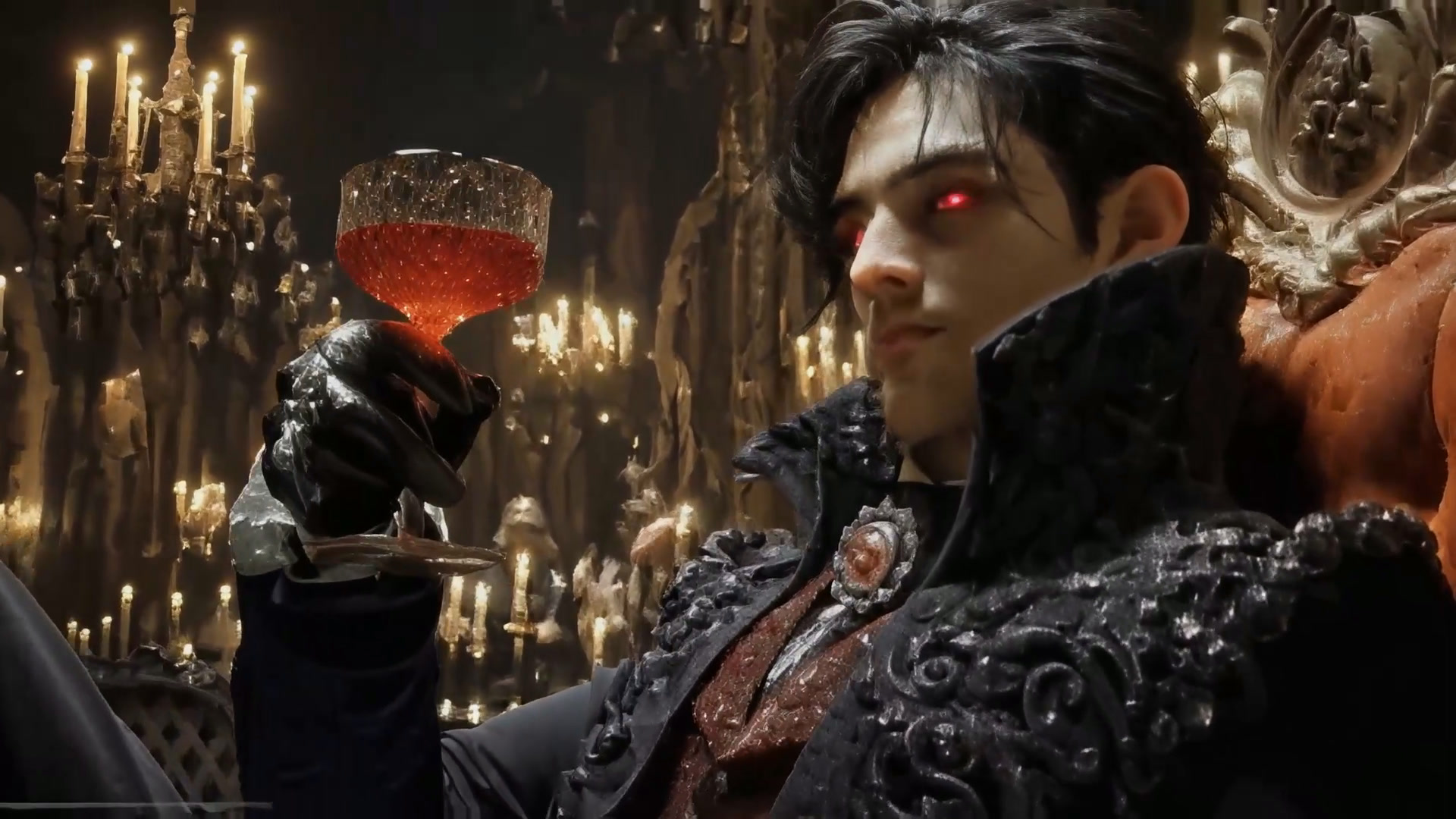
At 480p the vampire's collar embroidery, the brooch and the chandelier lights blur together; in the VideoUpscaler 1080P result they are separate details again. Left: our 480p copy of a 5-second excerpt. Right: the same frame from the real VideoUpscaler output. Footage: Fantasy Allure AI, “Night At the Halloween Ball”. Drag the divider to compare.
See what your own AI clips look like.
Get startedFrequently Asked Questions
AI Halloween costume FAQ: generators, prompts and 4K
No. It upscales a video you already have. Make the AI Halloween costume change in Veo, Sora, Kling, Runway or another generator, then upload the export here.
Download the generator's original export, upload it here, pick 4K and download the result. It costs 3 credits per second, so an 8-second clip uses 24 credits.
No. It sharpens what's there; extra fingers, melting faces or objects that morph between frames stay as the generator made them. Regenerate the take if those bother you.
1080P for TikTok, Reels and Shorts, since they display vertical video in Full HD. 4K for YouTube or a TV, where viewers can actually see it.
Yes. They are original looks written for this page, with no film characters or real people. Paste them into any generator that accepts a photo as the first frame.
Results from accounts that have never bought credits carry a small watermark. After any purchase, results have none.
MP4, MOV, MKV, WebM and M4V files up to 500 MB, which covers the exports of all major video generators.
Still have questions? Email us at support@videoupscaler.co