Summary
Topaz Video AI pricing in 2026: $299 a year or $59 a month for the desktop app, $199 a year in the browser, plus cloud credits. Checked 17 October 2026.
TL;DW
- Topaz Video AI pricing: the desktop app, now called Topaz Video, costs $299 a year, $39 a month on an annual commitment, or $59 month to month.
- Cheaper ways in: Topaz for Web – Video, the browser version, shows $199 a year or $19 a month at its current sale price.
- Hidden cost: desktop plans include only 25 cloud credits a month. Cloud renders with Starlight cost 150 credits per minute of 4K, so most cloud work means buying credits.
- No lifetime license for new buyers since October 2025, and no trial of the current desktop version.
- Verdict: Topaz is good value if you own a strong GPU and upscale every week. For a few clips a month, a per-second service such as VideoUpscaler usually costs less.
Topaz Video AI pricing changed more in the last year than in the five before it. Every price below was read from Topaz Labs' own pricing, product and cloud credit pages on 17 October 2026, in USD. We make VideoUpscaler, which appears at the end as one alternative, with its limits.
Compare the cost on your own clip
New accounts get 10 credits, enough for 10 seconds of 1080P. No GPU and nothing to install.
How much does Topaz Video AI cost in 2026?
Topaz Video costs $299 a year as a single desktop app. You can also pay $39 a month with a 12-month commitment, or $59 a month with no commitment. Each plan runs on Mac and PC, includes unlimited local rendering and 25 cloud video credits a month, and covers one computer at a time.
Topaz has renamed the app from Topaz Video AI to Topaz Video. Most people still search for the old name, so this page uses both.
The other Topaz plans that include video are a Pro tier, the all-app Studio bundle, and a browser-only app:
| Plan | Per year | Monthly, 1-year term | Monthly, no term | Cloud credits / month |
|---|---|---|---|---|
| Topaz Video | $299 | $39 | $59 | 25 |
| Topaz Video Pro | $699 | $74 | Not offered | 100 |
| Topaz Studio (all apps) | $399 | $45 | $69 | 300 |
| Topaz Studio Pro | $799 | $79 | Not offered | 600 |
| Topaz for Web – Video | $199 (sale, was $299) | Not offered | $19 (sale, was $29) | 200 |
The standard plans cover personal use and commercial use for organizations under $1M in yearly revenue; the Pro plans add full commercial use. The cloud credits included in every app plan expire at the end of the month and do not roll over. The browser app prices carry a "save up to 50%" sale banner, so they may go back up without notice.
Is Topaz Video AI a subscription now?
Yes. Topaz stopped selling new perpetual licenses in October 2025, and every plan above renews each year or each month. You can cancel at any time from your account and keep access until the end of the period you paid for. Topaz also gives a full refund if you ask within 2 days of buying.
If you bought a perpetual license before the change, it keeps working. A Topaz Labs team member wrote on the Topaz community forum in December 2025 that the current desktop version has no trial; only legacy versions can be tried, and they lack newer models such as Starlight Sharp.
How much do Topaz cloud credits cost?
Topaz cloud credits cost $0.067 to $0.25 each, depending on how you buy them. Credits only work alongside an active app subscription; they are not a way to use Topaz without one.
| Credits | Price | Per credit |
|---|---|---|
| 20, one-time | $5 | $0.250 |
| 400, one-time | $78 | $0.195 |
| 1,000, one-time | $158 | $0.158 |
| 3,000, one-time | $399 | $0.133 |
| 80 a month | $9.99 | $0.125 |
| 400 a month | $39.99 | $0.100 |
| 1,400 a month | $99.99 | $0.071 |
| 3,000 a month | $199.99 | $0.067 |
Credits you buy last longer than the ones bundled with an app plan. One-time packs never expire. On a credit subscription, unused credits roll over up to five times the monthly amount, and expire if you cancel.
What a credit buys depends on the model and the output size. Topaz lists these rates for one minute of output:
| One minute of output | 1080p | 4K |
|---|---|---|
| Standard video models (24 fps) | 6 credits | 24 credits |
| Starlight models (30 fps) | 90 credits | 150 credits |
So the 25 credits in the Topaz Video plan cover about one minute of 4K with a standard model, or ten seconds of 4K with Starlight. Topaz notes that cloud prices change from time to time and the app shows the exact cost before you render.
What does Topaz Video AI pricing leave out?
The subscription price assumes your own computer does the work. Topaz lists these minimums:
- Windows: a dedicated GPU with 6 GB of VRAM, 8 GB recommended, and 16 GB of RAM.
- Mac: Apple silicon only. Intel Macs are not supported.
- Starlight Sharp, HQ and Fast: cloud only on Mac and on AMD graphics cards, so on those machines the best models cost credits every time.
If your computer falls short, the real Topaz Video AI pricing is the subscription plus the credits you buy for cloud renders.
What does one minute of 4K cost with Topaz?
The answer ranges from no extra cost to $37.50, depending on where the render runs and how you buy credits.
| One minute of 4K output | Cost |
|---|---|
| Topaz Video, local render on your GPU | No extra cost after the subscription |
| Topaz cloud, standard model, 400-credit monthly plan | 24 credits, about $2.40 |
| Topaz cloud, Starlight, 400-credit monthly plan | 150 credits, about $15 |
| Topaz cloud, Starlight, 20-credit one-time pack | 150 credits, about $37.50 |
| VideoUpscaler, 30,000-credit pack | 180 credits, about $3.00 |
| VideoUpscaler, Creator plan ($29.90 for 1,000 credits) | 180 credits, about $5.38 |
The Topaz cloud rows come on top of an app subscription. VideoUpscaler has no app fee: the credits are the whole price.
Is Topaz Video AI worth the price?
It is worth it if you upscale often and own the hardware. A year of Topaz Video costs $299, and every local render after that costs nothing extra, with frame interpolation, stabilization, denoise and output well above 4K.
It is poor value if you upscale a few clips a month, use an Intel Mac, or need Starlight on a Mac or AMD card. In those cases you pay the subscription and then pay again for cloud credits.
Stay with Topaz if:
- you process hours of footage a week on an NVIDIA GPU with 8 GB of VRAM or more;
- you need frame interpolation, stabilization or output above 4K;
- you rely on Topaz's Adobe Premiere panel.
A pay-per-second alternative: VideoUpscaler
VideoUpscaler is a browser upscaler that runs on our cloud GPUs. It bills per second of video: 1 credit at 1080P, 2 at 2K and 3 at 4K, so a minute of 4K costs 180 credits.
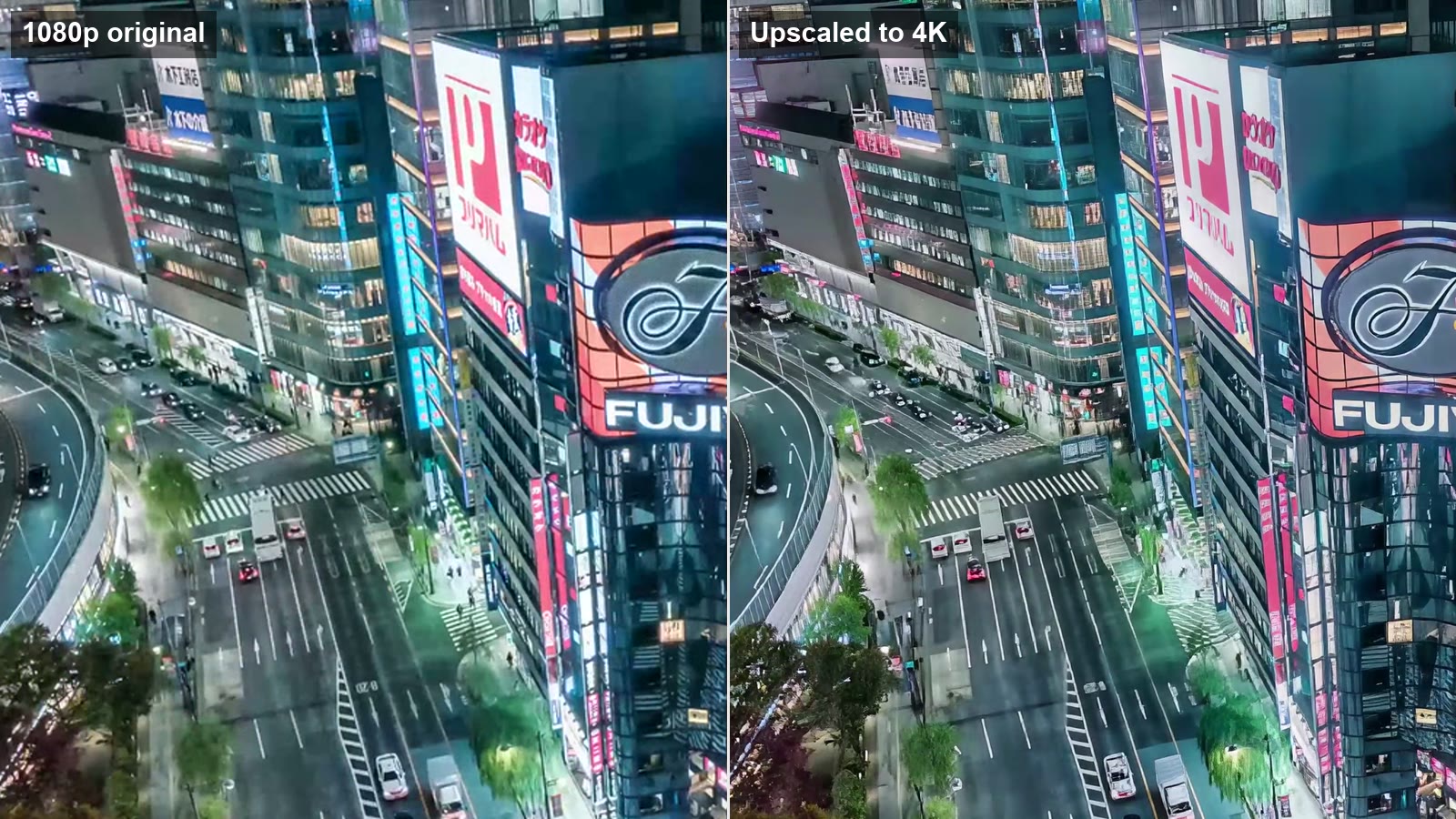
Plans start at $29.90 a month for 1,000 credits, about 5.5 minutes of 4K. Credit packs run from $9.90 for 200 credits to $499 for 30,000, and pack credits never expire. Failed jobs are refunded automatically. See the pricing page for every plan.
Where it falls short: it only upscales. There is no frame interpolation or stabilization, output stops at 4K, uploads are capped at 500 MB, and your video is processed in the cloud rather than on your own machine.
If you are waiting for a discount, see what to expect from Topaz Black Friday. For other options, from a $165 one-time license to open-source tools, see our comparison of Topaz Video AI alternatives and the review of Aiarty Video Enhancer, which sells a lifetime license. For upscaling to 4K step by step, see the 4K video upscaler.
Pay per second instead of per year
1080P, 2K or 4K in the browser. Failed jobs are refunded.
FAQ
How much is Topaz Video AI per month?
Topaz Video costs $59 a month with no commitment, or $39 a month if you commit to 12 months. The yearly price is $299. Prices checked on topazlabs.com on 17 October 2026.
Can I still buy a Topaz Video AI lifetime license?
No. Topaz stopped selling new perpetual licenses in October 2025. Licenses bought before then keep working, but new buyers can only subscribe.
Can I try Topaz Video AI before paying?
Not the current desktop version. A Topaz Labs team member said on the Topaz community forum that it has no trial; only legacy versions can be tried. Topaz does refund purchases if you ask within 2 days.
What is the difference between Topaz Video and Topaz Studio?
Topaz Video ($299 a year) is the video app alone with 25 cloud credits a month. Topaz Studio ($399 a year) adds Topaz Photo, Gigapixel, the browser apps and the iPhone app, and includes 300 cloud video credits a month.
Do Topaz cloud credits roll over?
It depends on where they come from. Credits included with an app plan such as Topaz Video or Studio expire at the end of each month. Credits from a credit subscription roll over up to five times the monthly amount, and one-time credit packs never expire. Credits cost $0.067 to $0.25 each.
Is Topaz for Web cheaper than the desktop app?
At its current sale price, yes: Topaz for Web – Video is $199 a year or $19 a month, with 200 cloud credits a month. It runs in the browser, so it needs no GPU, but every render uses credits.
Does Topaz Video run on an Intel Mac?
No. Topaz Video needs an Apple silicon Mac. On Windows it needs a GPU with at least 6 GB of VRAM. A browser tool such as Topaz for Web or VideoUpscaler works on any computer.
Topaz Video AI pricing makes sense for heavy users with a strong GPU. Everyone else should total the subscription and the credits first, then test one short clip on a pay-per-second tool before committing to a year.
Upscale without a subscription
Pay per second for 1080P, 2K or 4K. No GPU, nothing to install.
Sources
All checked on 17 October 2026.
- Topaz Labs pricing: topazlabs.com/pricing (annual, annual billed monthly and monthly views)
- Topaz Video plans, seats and refund policy: topazlabs.com/topaz-video
- Topaz cloud credit packs and credit costs: topazlabs.com/cloud-render
- System requirements: docs.topazlabs.com
- Trial answer: Topaz community forum
- VideoUpscaler: pricing