
01 · Context Menu
Right-click any video or MP4 link
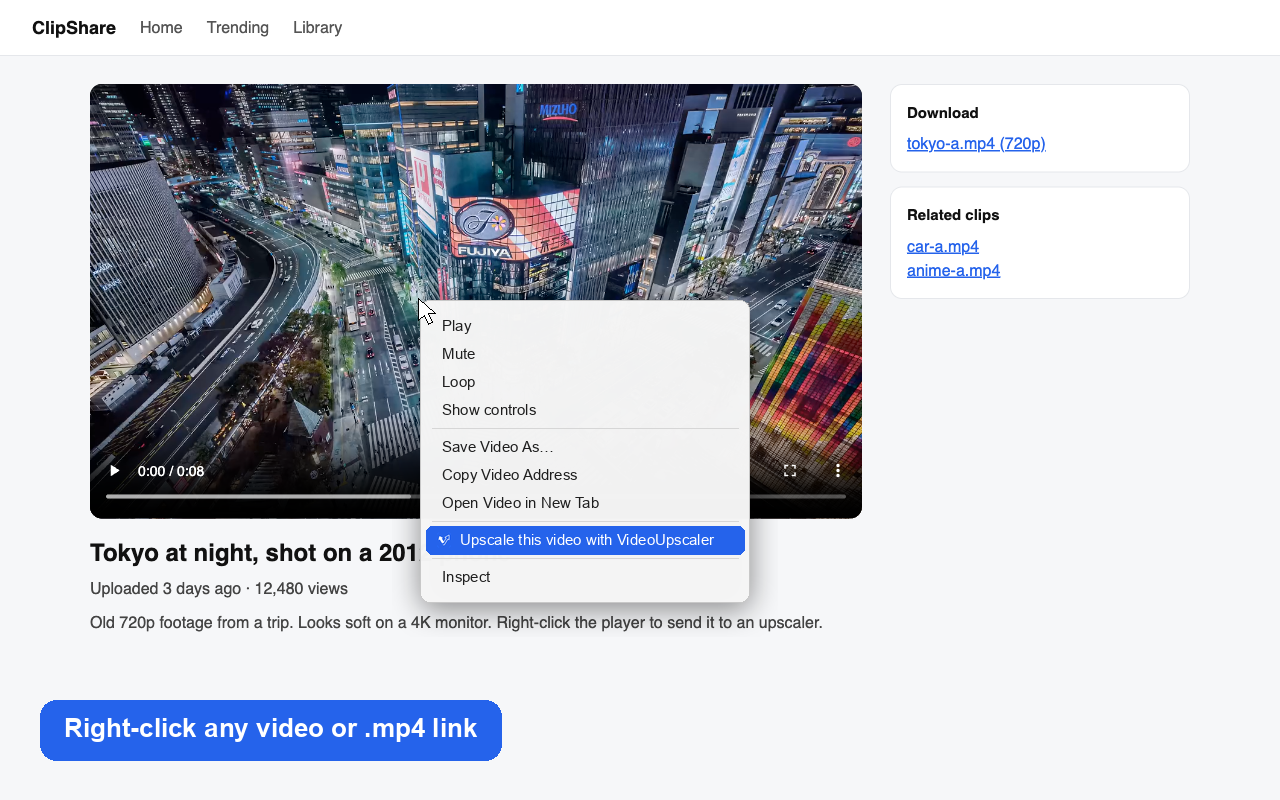
Right-click on a <video> player or a direct .mp4, .mov or .webm link and choose “Upscale this video with VideoUpscaler” to copy the URL and launch the upscaler.
Chrome Extension · Manifest V3
The shortest path from a blurry clip you find in Chrome to sharp 1080P, 2K or 4K video. Right-click any video element or MP4 link, or open the toolbar popup anytime.
Right-click any <video> player or .mp4 / .mov / .webm link
One-click toolbar popup to jump straight into the 4K upscaler
Zero host permissions, no content scripts, zero data collection
Whether you are collecting AI video clips, restoring archive footage, or enhancing social media downloads, the extension removes extra steps.
Right-click on a <video> player or a direct .mp4, .mov or .webm link and choose “Upscale this video with VideoUpscaler” to copy the URL and launch the upscaler.
Click the VideoUpscaler icon in your browser toolbar to open the web upscaler, check pricing, or jump to your processing history.
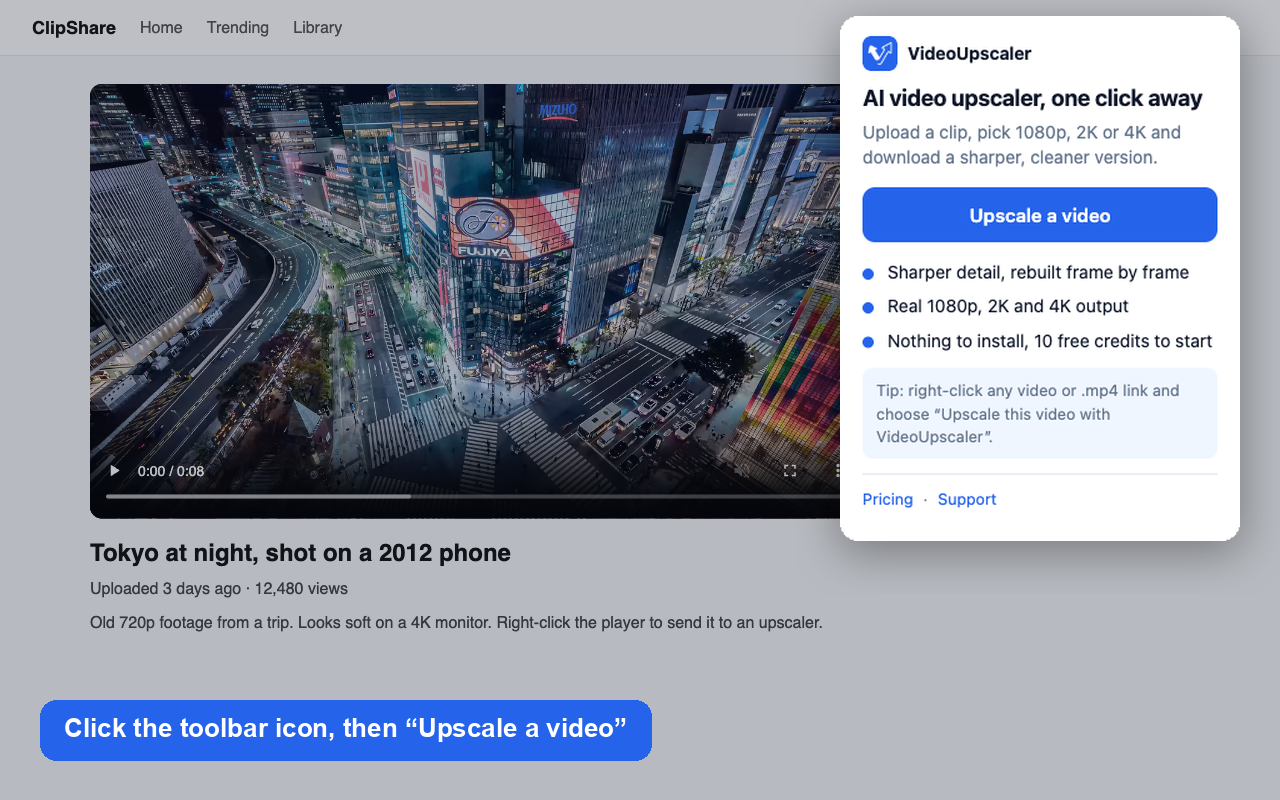
Copies direct video URLs automatically so you can paste them straight into VideoUpscaler’s link importer—or tells you clearly when a streaming player needs to be saved first.
Quick Setup
One click in the official Chrome Web Store—no account required to install.
Click “Add to Chrome” above to open the official VideoUpscaler extension page on the Chrome Web Store.
Confirm the installation and pin the VideoUpscaler icon to your browser toolbar.
Open the popup to paste a YouTube or video URL, or right-click any video on the web to upscale it to 4K.
Most video extensions ask to read and change all your data on every website you visit. VideoUpscaler asks for none of that.
The extension cannot read the pages you browse or inspect your tabs.
Nothing is injected into the websites you visit, so pages never slow down or break.
Runs only at the exact moment you click the toolbar icon or the right-click menu item.
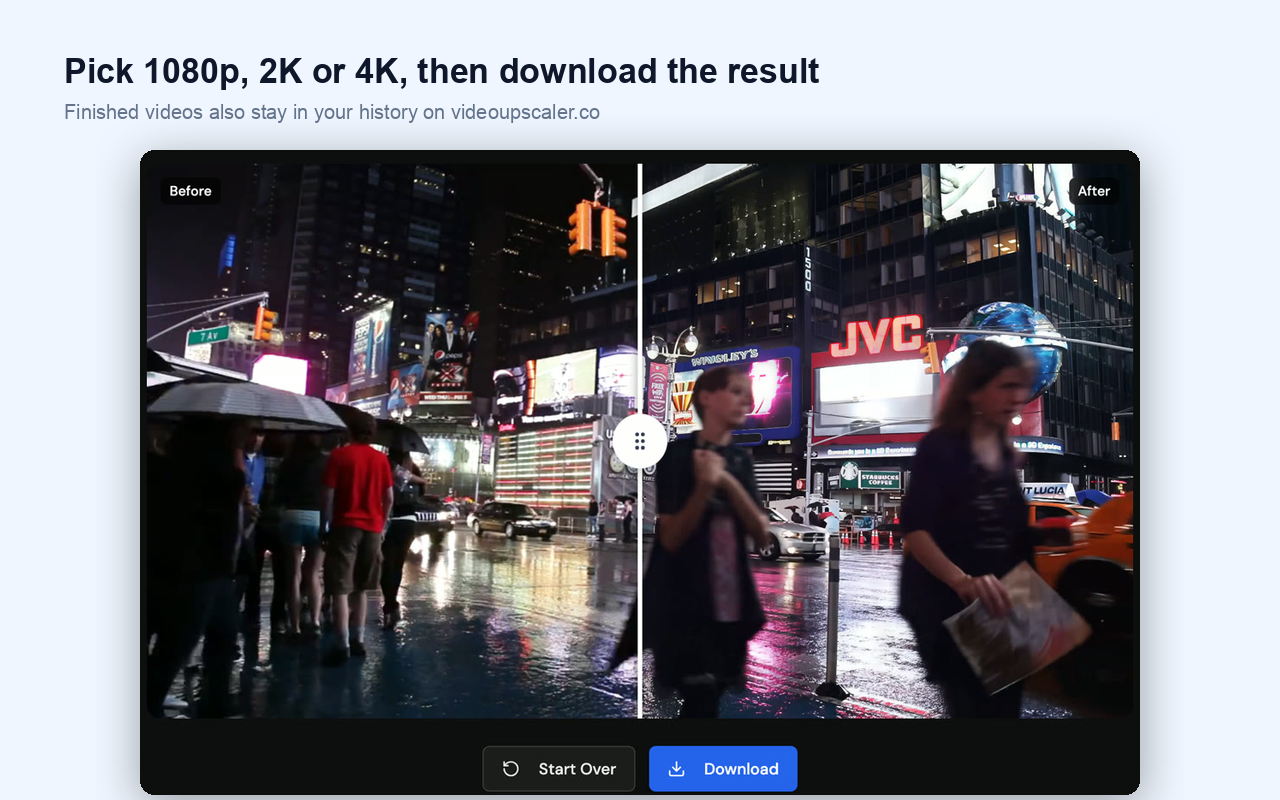
All AI upscaling to 1080P, 2K and 4K runs on VideoUpscaler’s cloud GPUs—never draining your laptop battery.
FAQ
Yes, the extension is completely free. New accounts on VideoUpscaler receive 10 free credits to test AI video upscaling, and you can buy credit packs starting at $4.90 or subscribe anytime.
Yes. Copy any YouTube, Shorts or direct video link and paste it into the link field on VideoUpscaler to import and upscale it to 1080P, 2K or 4K.
Any Chromium-based desktop browser that supports Manifest V3 extensions, including Google Chrome, Microsoft Edge, Brave, Arc and Opera.
No. The extension has no host permissions, no analytics, and no remote code. It only copies the video link you explicitly right-click and opens videoupscaler.co.
Install the lightweight Chrome extension or jump straight into the web upscaler—new accounts get 10 free credits.