
Sharpen Video Online with AI
Sharpen video right in your browser: upload a soft, low-bitrate or slightly out-of-focus clip and our temporal AI model redraws facial features, crisp edges and small lettering frame by frame at 1080P, 2K or 4K. Original colors, soundtrack and aspect ratio remain untouched.
New accounts get 10 free credits. Try it now.
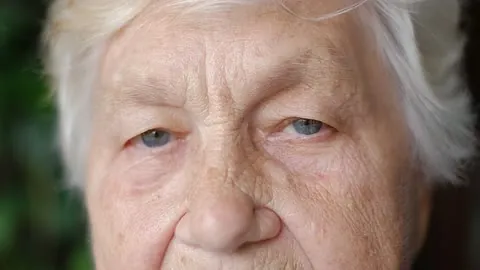
Drop in a soft clip and see the crisp detail.
MP4, MOV, MKV or WebM up to 1 GB

Our AI upscaling tools are used by people at





Sharpen video quality across faces, strings, macro shots, feathers, night skylines and anime
Portraits, hair & skin texture
Soft lenses and low bitrates turn individual beard hairs and pores into a flat smudge. When you sharpen video with multi-frame super-resolution, fine facial strands and fabric weave return cleanly.
Thin lines & instruments
Violin strings, bow hair and wood grain are the first edges to vanish when a recording loses definition. Temporal reconstruction brings back each thin line without jagged stair-stepping.
Macro shots & product close-ups
Water droplets, jewelry edges and product labels lose their crisp boundary after social re-encoding. Cloud processing restores tight micro-contrast along every curve.
Wildlife & fine plumage
Repeating textures like feathers and fur mush together in telephoto recordings. Frame-aligned tracking restores feather barbs and iris detail without temporal shimmer.
Night architecture & aerials
Distant office windows, street lamps and road markings bleed into each other in dark drone shots. Rebuilding spatial resolution separates individual lights across the skyline.
2D animation & line art
Hand-drawn contours and cel shading look muddy when upscaled with a basic bilinear resize. Neural line reconstruction keeps ink strokes razor-sharp without white ringing.
Sharpen video online: supported formats, output resolutions and pricing
Upload an MP4, MOV, MKV, WebM or M4V file up to 1 GB and export a sharper 1080P, 2K or 4K copy for 1–3 credits per second.
| Accepted formats | MP4, MOV, MKV, WebM and M4V (H.264, HEVC / H.265, VP9) |
|---|---|
| Max file size & length | 1 GB per clip (up to 20 min at 1080P, 10 min at 2K or 4K) |
| Output resolutions | 1080P (Full HD), 2K (1440p) or 4K (2160p) |
| Per-second price | 1 credit per second at 1080P, 2 at 2K, 3 at 4K |
| Starter balance | 10 credits on new accounts; exports carry a small watermark until your first credit purchase |
| Softness it fixes | Mild lens softness, 480p/720p upscaling, digital zoom, social and chat re-compression |
| Optional pre-filters | Combine with Denoise, Stabilize, Face Recovery or 60fps RIFE interpolation in one pass |
| Kept from source | Color grading, audio track, frame rate and portrait or landscape aspect ratio |
| Installation | None: runs in desktop and mobile browsers on data-center GPUs |
How to sharpen a video in 3 steps
Drop in your source file, pick a target resolution, and let cloud GPUs rebuild edge clarity without taxing your computer or phone.
1. Select your source file.
Start from the closest file to the camera original. Clips forwarded through chat apps or screen-recorded have already lost micro-texture before processing begins.
Get started2. Choose 1080P, 2K or 4K.
Pick 1080P for older SD recordings or web downloads, or choose 4K when you want to sharpen video captured at 1080p for large monitors and 4K TVs.
3. Inspect edges and download.
Drag the split-screen slider across faces, text and fine lines to verify the improvement, then download your finished MP4 with the original audio intact.
AI sharpen video limits: what edge reconstruction cannot recover
Try it with your videoSevere lens defocus
Slightly missed focus tightens up noticeably, but if the lens locked onto the background and turned the subject into an unrecognizable blur, check our unblur tool notes on optical limits.
Long motion-blur streaks
Fast whip pans or slow shutter speeds smear moving objects across dozens of pixels. Only mild motion softness clears up cleanly.
Intentional censor mosaics
Faces, license plates or screens hidden behind privacy blur or heavy pixelation have had their underlying data discarded and cannot be reversed.
High-ISO sensor noise
Sharpening grainy low-light footage on its own can emphasize speckle. Turn on our spatial-temporal denoiser in the options panel so grain is cleaned before edge reconstruction.
Why AI video sharpening beats an unsharp mask filter in editors
Traditional unsharp mask filters in Premiere Pro, Final Cut or CapCut only boost contrast along existing pixel transitions—pushing the slider past 20% creates bright white halos, ringing around text and amplified background noise. When you sharpen video with our FlashVSR diffusion model, the network reads motion across neighboring frames to synthesize genuine high-frequency detail.
Sharpen my clip nowTrue detail instead of edge halos.
Reconstructs hair, fabric and typography without harsh white outlines or contrast ringing.
Temporal consistency in motion.
Cross-frame alignment prevents the crawling ants and sparkling noise common to single-frame filters.
Cleans mosquito noise at the same time.
Suppresses H.264 edge ringing and macroblocks before drawing crisp 1080P or 4K contours.
Zero local GPU hardware required.
Runs entirely on cloud GPUs in your browser, keeping your laptop and phone cool.
Good to know:
Per-second billing
1 credit per second at 1080P, 2 at 2K, 3 at 4K.
Camera & editor exports
Works with MP4, MOV, MKV, WebM and M4V files up to 1 GB.
Automatic credit refund
If a cloud processing task fails, the credits return to your balance automatically.
Soft 480p frame vs 4K AI edge reconstruction
In a soft 480p frame, individual beard hairs, metal eyeglass rims and skin creases blend together; after you sharpen video to 4K with AI super-resolution, every boundary has clean micro-contrast without halos. Drag the divider to compare.
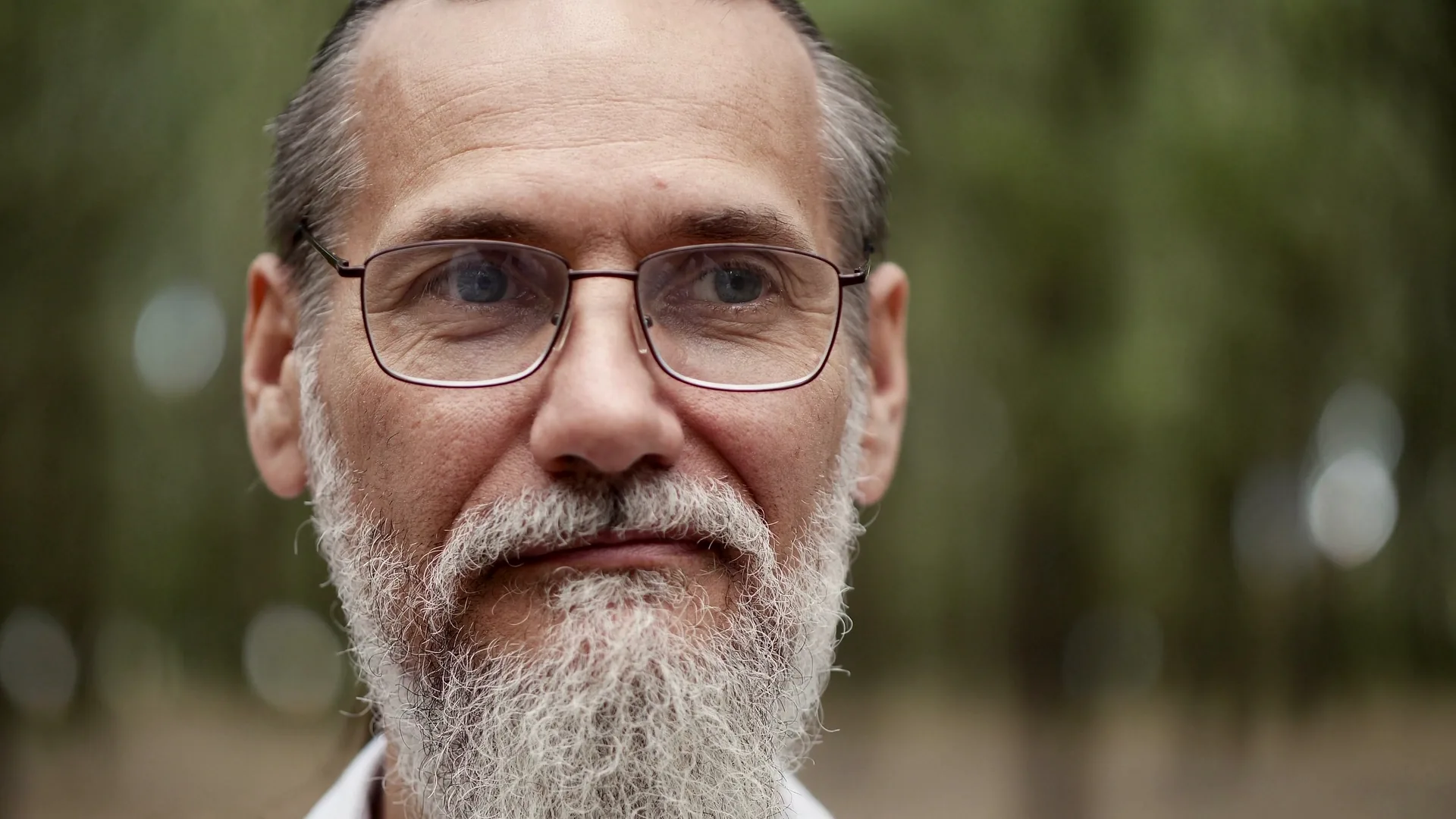
Sharpen video clips from your own camera roll at 1080P, 2K or 4K.
Get startedFrequently Asked Questions
Sharpen video FAQ: unsharp mask vs AI, pricing and supported files
An editor's sharpen filter (unsharp mask) increases contrast between adjacent pixels, which quickly produces white halos around edges and amplifies grain. When you sharpen video with our cloud AI model, it combines information across consecutive frames and upscales the canvas to 1080P, 2K or 4K so fine lines, eyelashes and text are genuinely redrawn.
Jobs are billed by duration: 1 credit per second at 1080P, 2 at 2K and 3 at 4K. A 20-second clip at 1080P costs 20 credits. New accounts start with 10 credits to test a clip, and any failed task is refunded automatically.
Yes. Open this page in Mobile Safari or Chrome, select your MOV or MP4 from Photos or Files, pick a target resolution, and let cloud GPUs run the model. Once finished, save the crisp MP4 directly back to your device.
If your source is an older 480p or 720p file, or a heavily compressed chat clip, 1080P produces the cleanest, most natural look. If your source is already a 1080p camera recording that looks a bit soft on a big screen, choose 2K or 4K to bring out fine texture.
Standard sharpening makes dark ISO grain look worse. Here, open the Enhancement Options panel before starting your job and enable Denoise alongside upscaling—the pipeline cleans chroma and luma noise first, then sharpens the underlying edges.
You can upload MP4, MOV, MKV, WebM and M4V containers up to 1 GB encoded in H.264, HEVC (H.265) or VP9. Output is delivered as a widely compatible MP4 with your original audio track preserved.
Still have questions? Email us at support@videoupscaler.co
More AI tools